 Sky Duty
Aviation invoicing tied to the trip, not another spreadsheet
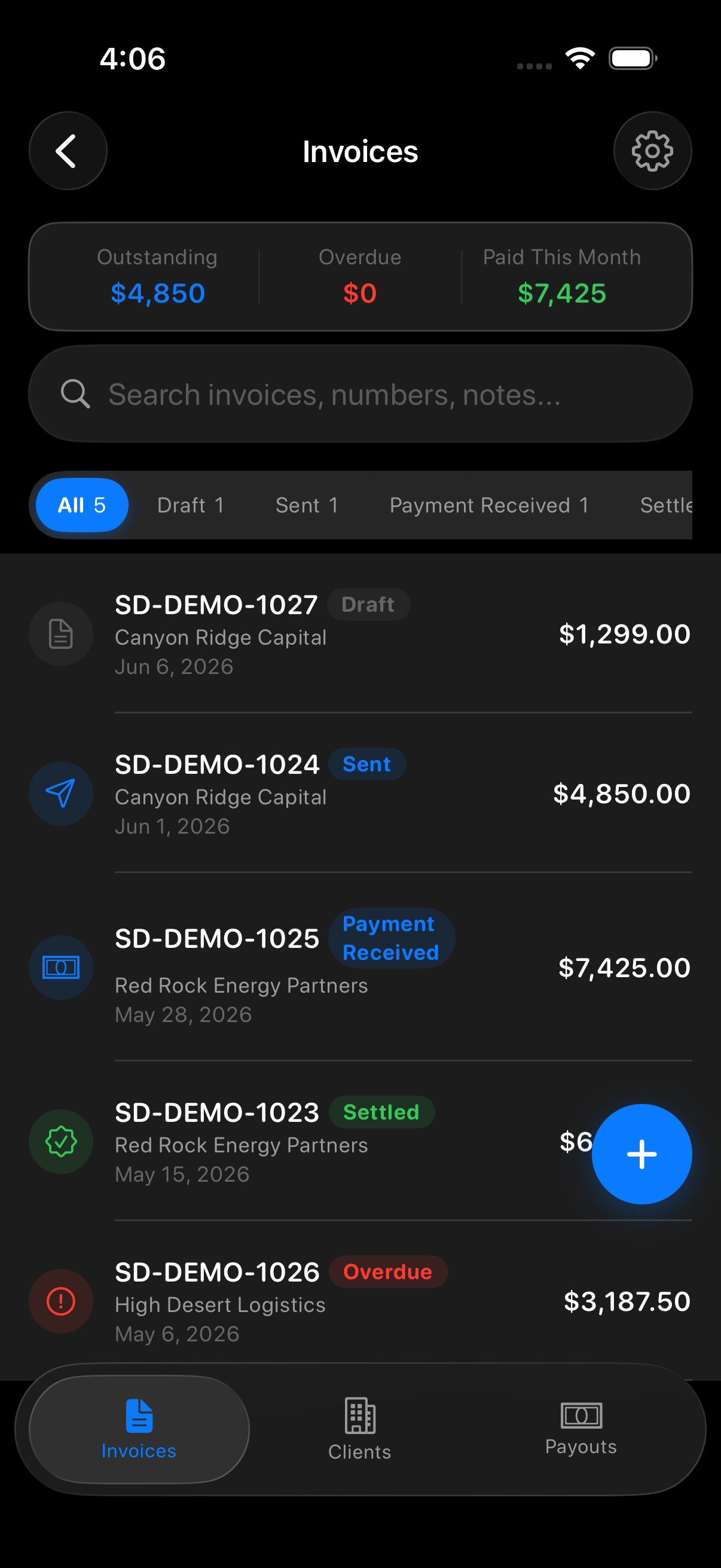
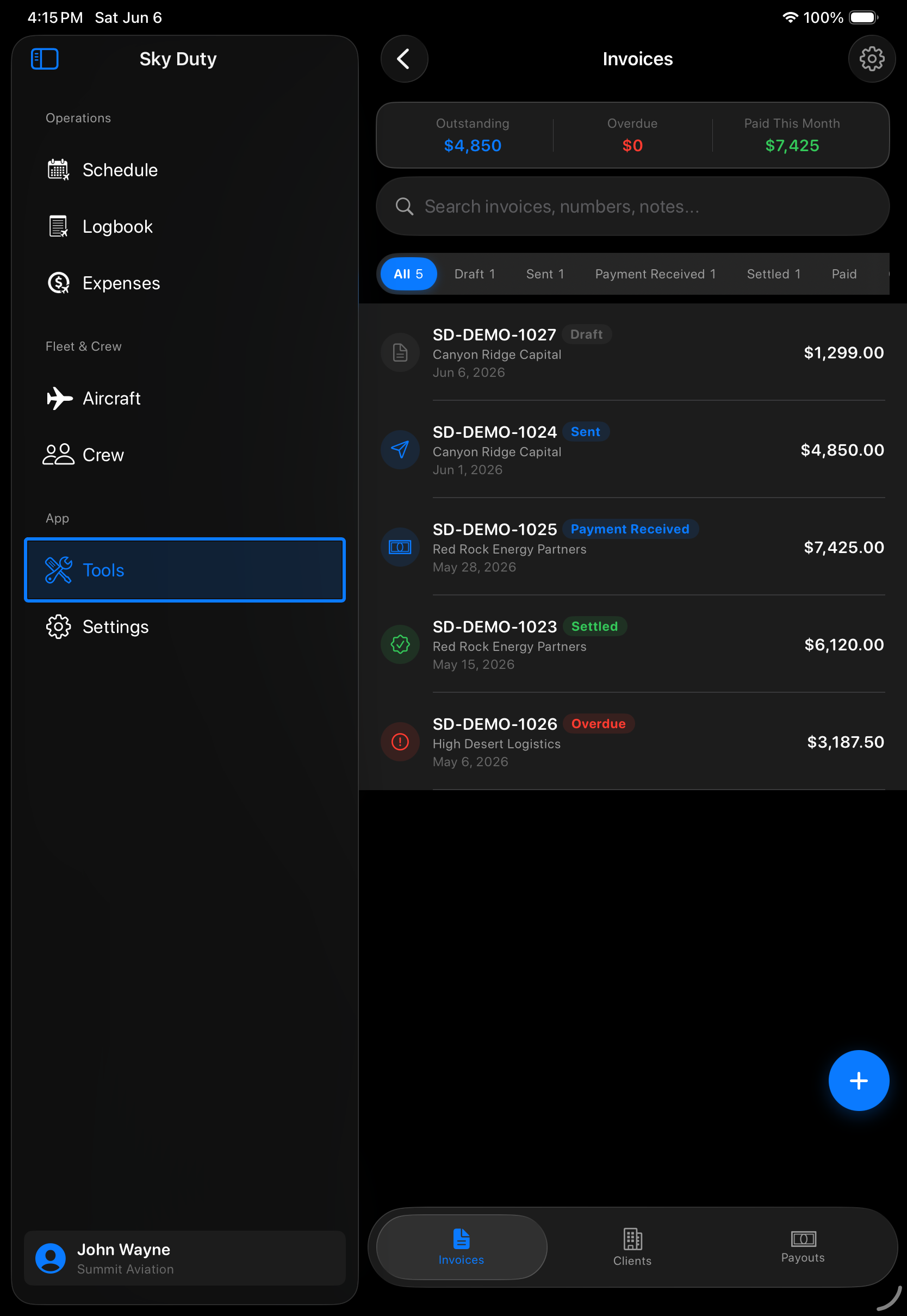
Create invoices, manage clients, and review payouts from the same iPhone/iPad app where your trips, expenses, aircraft, and logbook already live. Sky Duty keeps billing connected to the operation — not scattered across disconnected tools.

Bill from the same workflow that runs the flight
Generic invoice tools start with a blank bill. Sky Duty starts with the aviation context around the trip: client, aircraft, schedule, and expense records stay close to the invoice workflow.
- Create and review invoices from the Pilot Tools invoicing module
- Keep billing context close to trips, aircraft, and clients
- Track invoice status without leaving the aviation workflow
- Reduce duplicate entry between flight ops and accounting admin
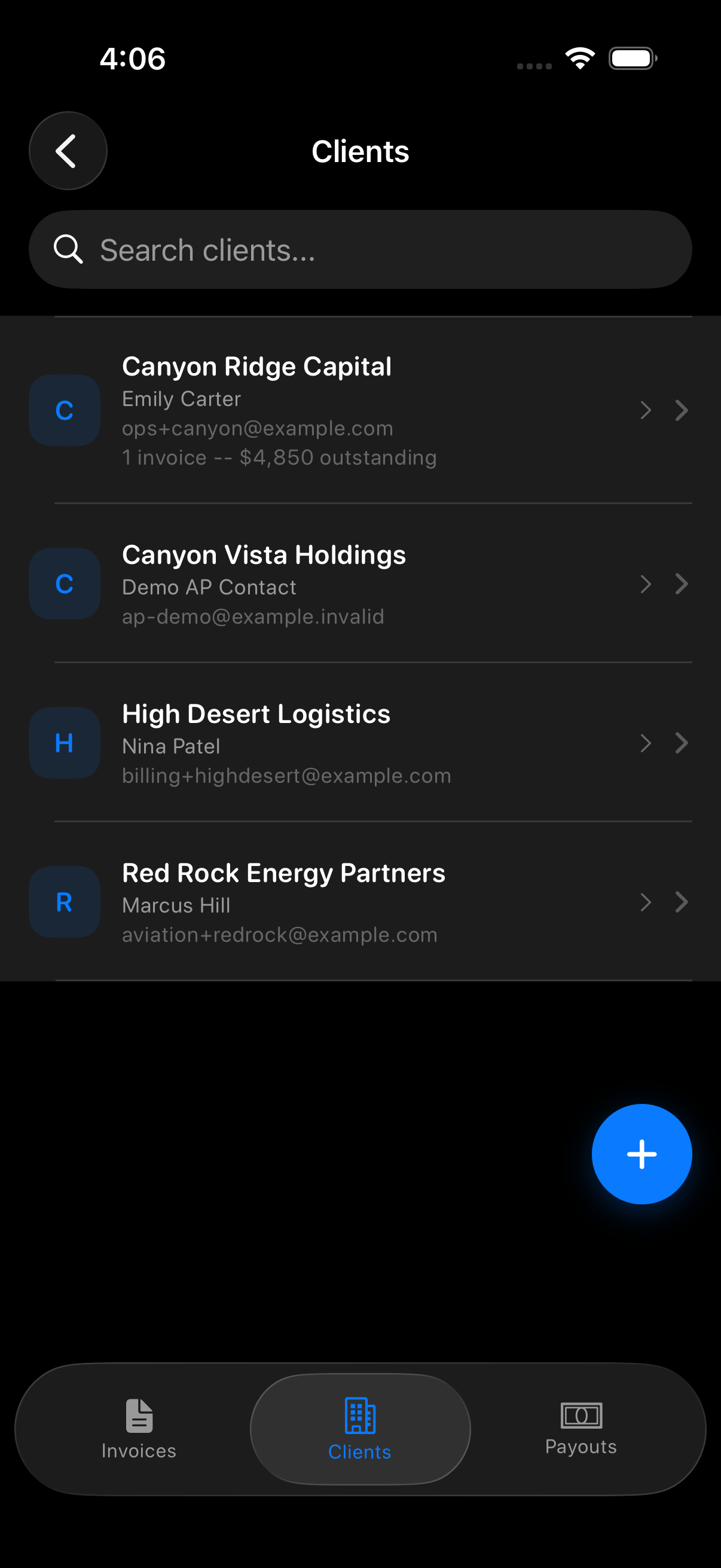
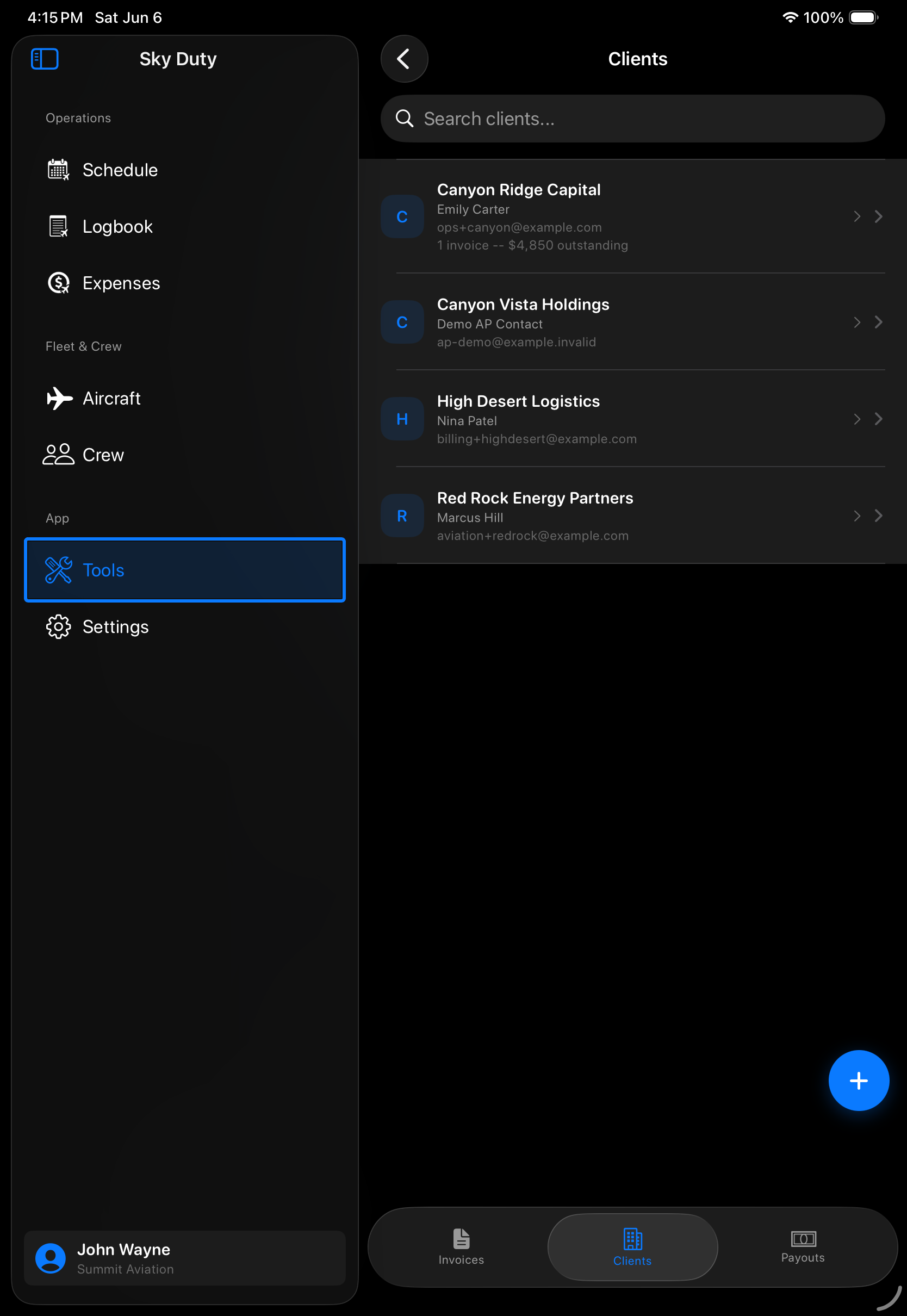
Client records built for repeat flight customers
Keep aviation billing contacts organized beside your trips instead of buried in a generic address book or spreadsheet.
- Manage client contact and billing details in the app
- Keep repeat customers ready for future invoices
- Review client balances and billing history from iPhone or iPad
- Use one mobile workflow for clients, invoices, and flight records
See payout status without chasing another dashboard
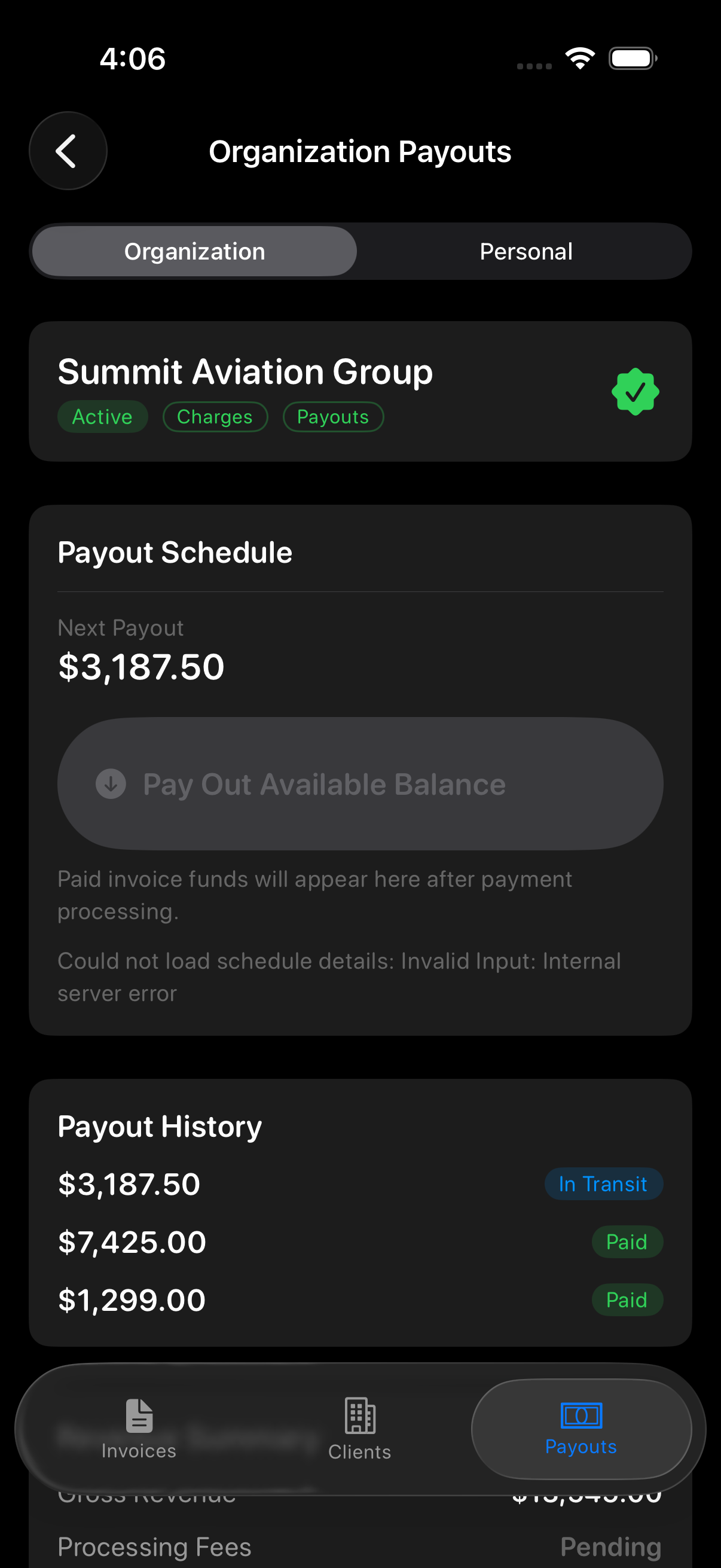
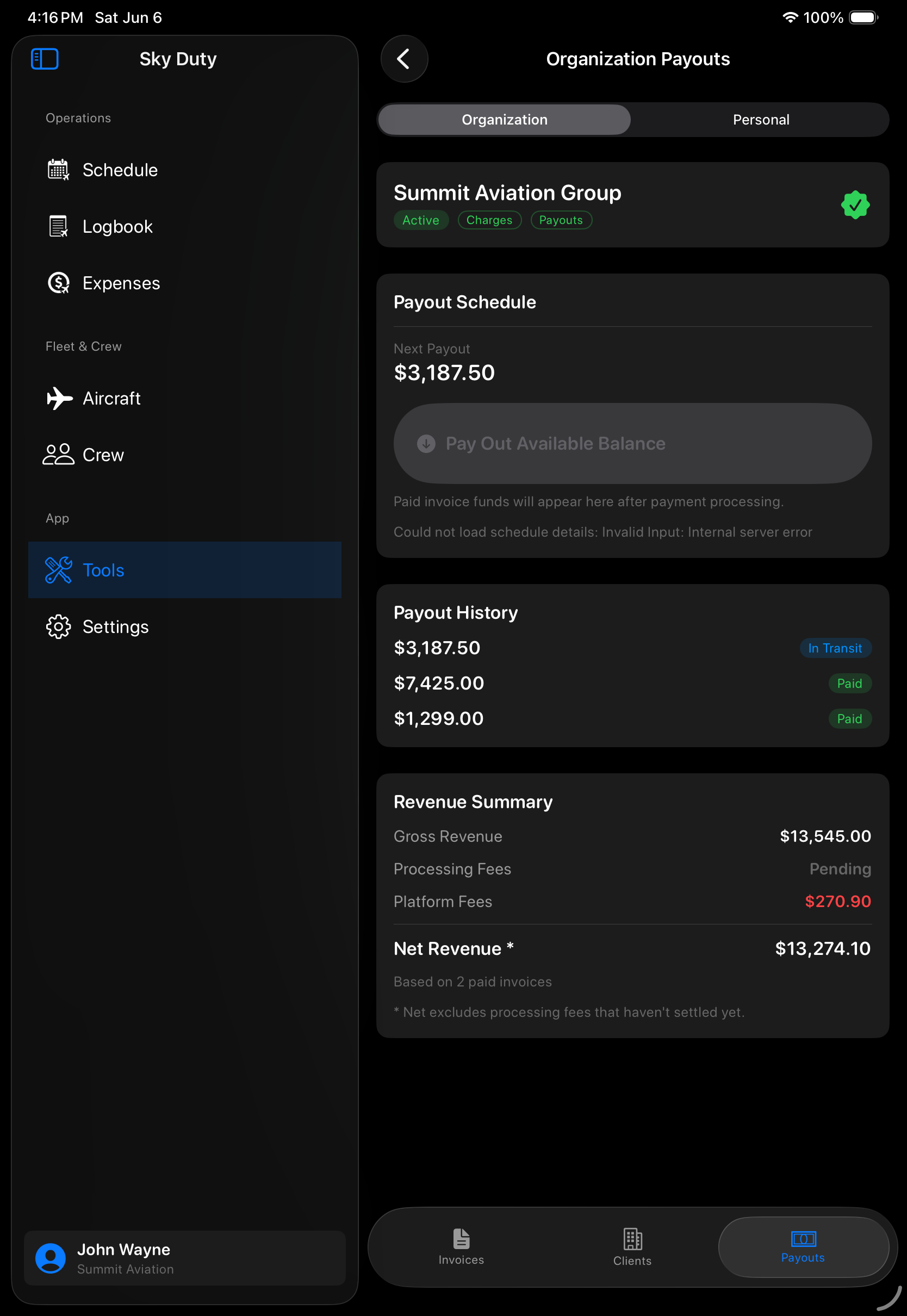
When invoices move to payment, your team needs status visibility. Sky Duty keeps payout review close to the operational records that generated the bill.
- Review recent payout activity from the invoicing area
- See payout status, amounts, and timing in one place
- Keep billing operations visible on mobile and tablet
- Avoid switching between flight records and payment dashboards for basic status checks
Why it matters: invoices and expenses are both tied to the same aviation workflow. Sky Duty helps operators see the trip, client, expense, and payout picture together instead of reconstructing it later from receipts, spreadsheets, and separate invoice apps.
Related Features
Frequently Asked Questions
What is aviation invoicing software?
Can pilots invoice clients from an iPhone or iPad?
How is Sky Duty different from QuickBooks, FreshBooks, or Wave?
Can invoices and expenses be tied to trips?
Does Sky Duty support payout tracking?
Is this for flight schools or private flight departments?
Ready to simplify your flight ops?
Scheduling, logbook, maintenance, expenses, and fleet management in one app. Available on the App Store for iPhone and iPad.